Cloud Connected Audio: The Complete Guide to Modern Business Communication
Table of Contents
Introduction: Understanding Cloud Connected Audio
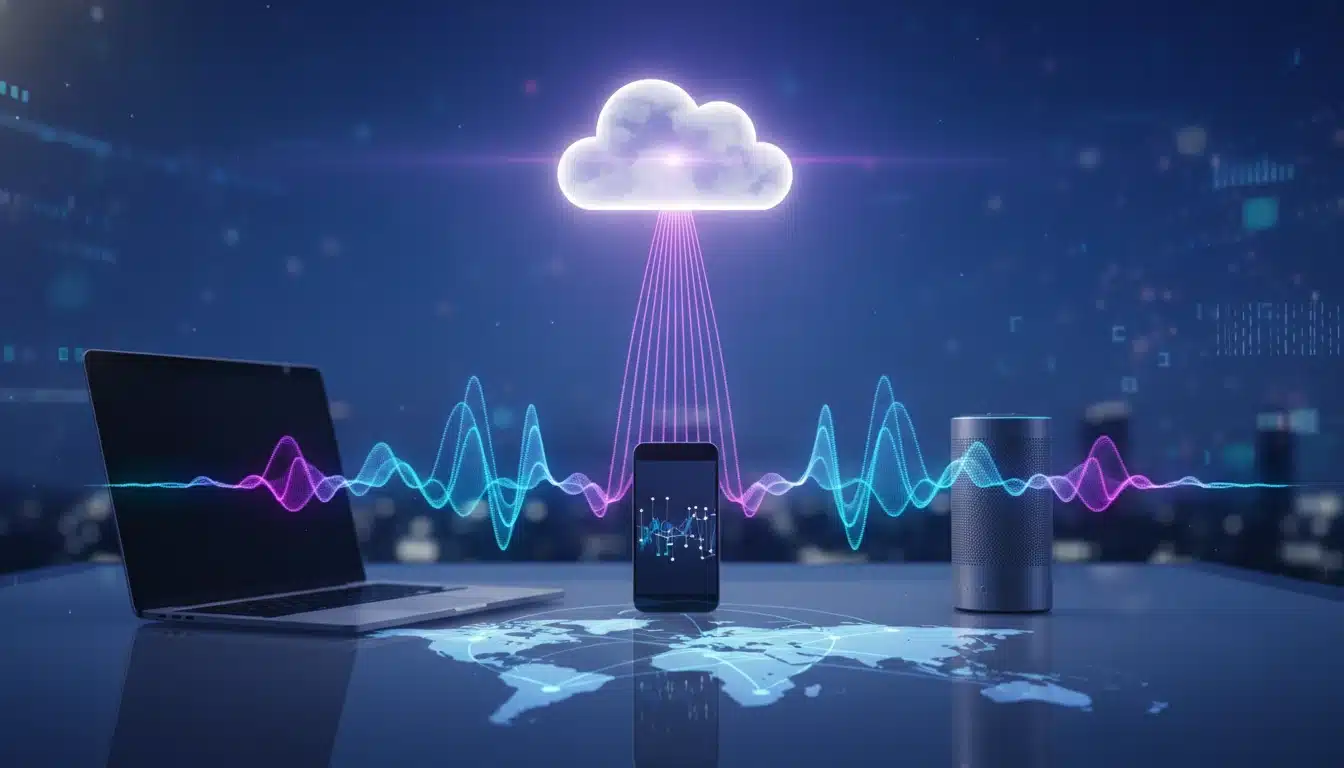
Picture a conference room in New York where team members collaborate seamlessly with colleagues in Tokyo, London, and Sydney—all through crystal-clear audio that feels like everyone’s in the same room. That’s the transformative power of cloud connected audio, a technology reshaping how modern businesses communicate across distances.
What is cloud connected audio? At its core, cloud connected audio integrates integrated audio conferencing capabilities with cloud-based collaboration platforms, allowing voice data to flow through internet connections rather than traditional phone lines. Unlike conventional systems that rely on physical infrastructure, this approach leverages cloud computing to deliver flexible, scalable communication solutions that adapt to your team’s needs.
This technology encompasses several interconnected concepts. Cloud conferencing refers to hosting meetings and audio sessions entirely through cloud infrastructure, eliminating the need for expensive on-premises equipment. Audio conferencing specifically focuses on voice-based collaboration, enabling multiple participants to join discussions from anywhere. When combined under the umbrella of cloud-based collaboration, these tools create unified communication environments where teams can connect, share ideas, and make decisions in real-time.
The practical benefits extend far beyond basic connectivity. Solutions like Cisco Webex audio integration demonstrate how cloud connected audio enhances remote collaboration by integrating with existing workflows, calendar systems, and business applications. Rather than juggling multiple platforms, teams access everything through a single, cohesive interface.
Here’s what makes cloud connected audio distinct: it transforms your audio infrastructure from a fixed cost center into a dynamic, pay-as-you-grow service that scales with your business needs.
For more technology insights, explore our Smart Home category.
The Framework: How Cloud Connected Audio Works
So how does cloud audio work? At its core, cloud connected audio transforms traditional communication by routing voice data through internet-based servers rather than physical phone lines. When you speak during an audio conferencing session, your voice converts into digital packets that travel through your internet connection to cloud servers, where they’re processed and distributed to all participants—often in milliseconds.
Three Essential Components
This seamless audio experience relies on three essential components working in harmony:
- Cloud servers act as the central nervous system, handling call routing, audio mixing, and quality optimization. These servers operate in distributed data centers globally, ensuring reliability even if one location experiences issues.
- User devices—whether smartphones, laptops, or dedicated conference room systems—capture and deliver audio while managing local processing tasks.
- Network infrastructure connecting everything determines how smoothly data flows between participants.
The Intelligence Layer
What makes modern cloud audio truly remarkable is its intelligence layer. Advanced algorithms continuously monitor connection quality, automatically adjusting bandwidth allocation to maintain clarity. When network conditions fluctuate, the system compensates in real-time, preventing those frustrating dropouts that plagued earlier communication tools.
Noise Cancellation Technology
Noise cancellation has become a game-changer in this ecosystem. Using machine learning, cloud platforms can identify and suppress background sounds—keyboard clicks, traffic noise, barking dogs—while preserving human voices. This technology works at both the device level and within the cloud infrastructure itself, creating professional-quality cloud audio across devices with noise cancellation regardless of your physical environment. The result? That colleague working from their bustling coffee shop sounds just as clear as someone in a dedicated office.
Why Choose Cloud Connected Audio for Your Business
The real question isn’t whether to adopt cloud audio—it’s why haven’t you already? Traditional phone systems drain budgets through maintenance costs, hardware upgrades, and per-line fees. Cloud connected audio flips this model entirely, delivering enterprise-grade communication at a fraction of the cost.
Cost Savings
Here’s what typically happens when businesses make the switch: infrastructure expenses drop by 30-50% within the first year. There’s no bulky equipment to maintain, no costly technician visits, and scaling your team becomes as simple as adjusting a subscription. Add five team members in Austin? Done in minutes. Open a satellite office in Denver? Same platform, zero infrastructure headaches.
Enhanced Collaboration
But cost savings only tell half the story. Cloud audio transforms how distributed teams actually work together. Consider the audio in telecom industry evolution: what once required complex PBX systems now happens seamlessly across any device, anywhere. Your sales rep joins a client call from their laptop in a coffee shop while your operations manager dials in from their smartphone—everyone experiences the same crystal-clear quality.
Agility and Accessibility
This is where cloud-based collaboration truly shines. Cloud telephony integrates voice, video, and messaging into unified platforms that remote teams can access instantly. No more “Can you hear me?” delays or scrambling to find the right dial-in code. When asking why use cloud audio, the answer centers on agility and accessibility—your communication infrastructure moves at the speed of your business, not the other way around.
Setting Up Cloud Connected Audio: Getting Started
Ready to ditch those outdated phone lines? Setting up cloud connected audio is surprisingly straightforward—think of it like connecting to Wi-Fi instead of running Ethernet cables through your walls. The beauty of modern systems is that you’re not installing complex hardware or dealing with confusing telephone wiring.
What You’ll Need Before You Begin
Before diving in, let’s gather your essentials. You’ll need:
- Compatible devices (smartphones, computers, or desk phones that support VoIP)
- Reliable internet connection (nothing kills audio quality faster than spotty bandwidth)
- Cloud service provider like Webex cloud connected audio or similar platforms
Most businesses find that their existing devices already work—no need for a complete equipment overhaul.
How to Integrate Cloud Audio in Five Simple Steps
Here’s your roadmap:
- Choose your provider based on your organization’s size and needs
- Create your account and configure basic settings like call routing and user permissions
- Connect your devices through the provider’s app or web portal—this typically takes minutes, not hours
- Test your audio quality with a few trial calls to identify any bandwidth issues
- Train your team on basic features like transferring calls and accessing voicemail
One practical approach is starting with a pilot group before rolling out company-wide. This lets you catch issues early and build internal champions who can help others.
Common Pitfalls That Trip Up First-Timers
The biggest mistake? Underestimating your internet bandwidth requirements. Cloud communications demand consistent speeds—calculate at least 100 kbps per concurrent call. Another trap: skipping the emergency calling configuration, which could leave you without 911 access during crises.
Many businesses also overlook AI-powered audio enhancements available in modern systems. Features leveraging AI ML in cloud audio can filter background noise and transcribe calls automatically—but only if you actually enable them during setup. Don’t leave these powerful tools sitting unused in your settings menu.
For more home office technology recommendations, check out our best home office desk guide.
Industry Examples: Cloud Connected Audio in Action
Picture this: a surgeon in Boston consulting with a specialist in Tokyo during a complex procedure, crystal-clear audio cutting through thousands of miles. That’s cloud connected audio transforming real-world business operations across sectors.
Education: Revolutionizing Virtual Classrooms
Educational institutions embraced cloud conferencing faster than almost any sector—and for good reason. Universities now deliver lectures to students across multiple campuses simultaneously, with advanced noise cancellation filtering out dorm room distractions and bustling coffee shops. Professors can mute background chatter while keeping student voices sharp and clear, creating engagement that rivals in-person classes.
The benefits of cloud telephony extend beyond lectures. Office hours happen via cloud audio, letting students connect with instructors from anywhere. Study groups collaborate across time zones, and guest speakers join from their living rooms without complicated IT setup.
Healthcare: Enhancing Telemedicine Consultations
Healthcare providers rely on cloud audio for telehealth visits where every word matters—literally. A missed symptom description could change a diagnosis. Cloud systems prioritize voice clarity and maintain HIPAA compliance through encrypted connections. Doctors conduct follow-ups, mental health professionals offer therapy sessions, and specialists provide second opinions—all through reliable audio connections.
Service Cloud Voice integration allows healthcare administrators to route calls efficiently, ensuring patients reach the right department without frustrating transfers. One hospital network reported 40% fewer dropped calls after switching to cloud audio infrastructure.
Corporate Collaboration: Breaking Geographic Barriers
A global marketing agency with teams in New York, London, and Singapore maintains daily stand-up meetings using cloud audio. Time zones that once hindered collaboration now merely require creative scheduling. The system automatically adjusts audio quality based on each participant’s bandwidth, ensuring the London designer’s presentation sounds as clear as the New York copywriter’s feedback—no expensive international phone lines required.
Limitations and Considerations
While cloud connected audio offers impressive advantages, it’s not a perfect fit for every scenario—and understanding the potential hiccups can save you headaches down the road.
Latency Issues
Latency remains the elephant in the room for real-time applications. Think millisecond delays that might feel negligible during casual calls but become problematic when you’re mixing live music or running integrated audio conferencing where split-second timing matters. According to industry research, network congestion can introduce audio delays that disrupt natural conversation flow, particularly frustrating during rapid-fire brainstorming sessions.
Security Concerns
Data security concerns deserve serious attention, especially if you’re handling sensitive information. When an app records audio to cloud servers, you’re trusting third-party infrastructure with potentially confidential conversations. Healthcare providers conducting patient consultations or law firms discussing privileged matters might face compliance nightmares without proper encryption protocols.
When Cloud Might Not Fit
Businesses in areas with unreliable internet connectivity should think twice before ditching traditional systems entirely. If your office experiences frequent outages, a complete PSTN replacement could leave you without communication capabilities exactly when you need them most. Some organizations maintain hybrid approaches—cloud for flexibility, traditional lines as backup.
Cost Considerations
Additionally, cloud audio cost savings can disappear quickly for extremely high-volume users. Enterprises making thousands of international calls monthly might find traditional telephony packages with unlimited plans more economical than per-minute cloud pricing.
FAQs: Common Questions About Cloud Connected Audio
Is there an app that records audio directly to the cloud?
Absolutely! Several modern applications now offer cloud storage for audio files with direct recording capabilities. Many smartphone voice memo apps automatically sync recordings to your cloud storage—think Apple’s Voice Memos app syncing to iCloud, or Google Recorder backing up to Google Drive. For professional use, cloud telephony platforms often include built-in call recording features that store conversations directly in the cloud, eliminating the need to transfer files manually. What typically happens is the audio streams directly to cloud servers during recording, so there’s no local file to lose if your device crashes.
Is it okay to have my music recording project in the cloud?
For most musicians and creators, yes—the cloud works wonderfully. Cloud storage protects your precious recordings from hardware failures and makes collaboration seamless when working with remote band members or producers. However, consider two factors: upload/download speeds (large multitrack sessions can take significant time), and your internet reliability during active recording sessions. A common pattern is using cloud storage for audio files as backup and collaboration tool while maintaining local copies during intensive editing work.
Which iOS media player application allows cloud sync?
Apple’s native Music app provides native iCloud sync, but many third-party options offer more flexibility. Apps like VLC for Mobile, Evermusic, and CloudBeats connect to multiple cloud services (Dropbox, Google Drive, OneDrive), giving you access to your entire audio library without eating up device storage. In practice, these players stream content directly from the cloud or cache files for offline listening—perfect for podcast enthusiasts or anyone with extensive audio collections. The choice depends on which cloud-connected platforms already fit into your workflow.
Key Takeaways
Cloud connected audio has fundamentally transformed how businesses communicate and collaborate. Whether you’re implementing cloud audio for business meetings or exploring advanced IVR integration for customer service, the technology delivers measurable improvements in flexibility, scalability, and cost efficiency. Research shows that organizations adopting cloud calling solutions with integrated audio conferencing experience enhanced productivity and streamlined operations.
Before You Dive In
Before implementing, consider your specific requirements carefully:
- Bandwidth constraints: Calculate at least 100 kbps per concurrent call
- Security protocols: Ensure encryption and compliance for sensitive conversations
- Team technical comfort: Plan training and pilot programs for smooth adoption
If you’re new to the space, following a comprehensive cloud connected audio tutorial for PSTN replacement helps avoid common pitfalls and accelerates adoption.
The Future of Communication
The landscape continues evolving rapidly, with AI-powered features and deeper unified communications integration on the horizon. Staying informed about these developments ensures your business remains competitive and maximizes the value of your cloud audio investment. The future of business communication is cloud-based—and organizations that adapt now position themselves for long-term success.
Ready to modernize your communication infrastructure? Start evaluating cloud connected audio solutions today and discover how they can transform your daily operations.
For more technology insights, explore our Smart Home category or read about best smart thermostats 2026 for connected home ideas.